A photograph can show a lot. The challenge is turning what it shows into a research record that can be counted, compared and carried into the next step of a project.
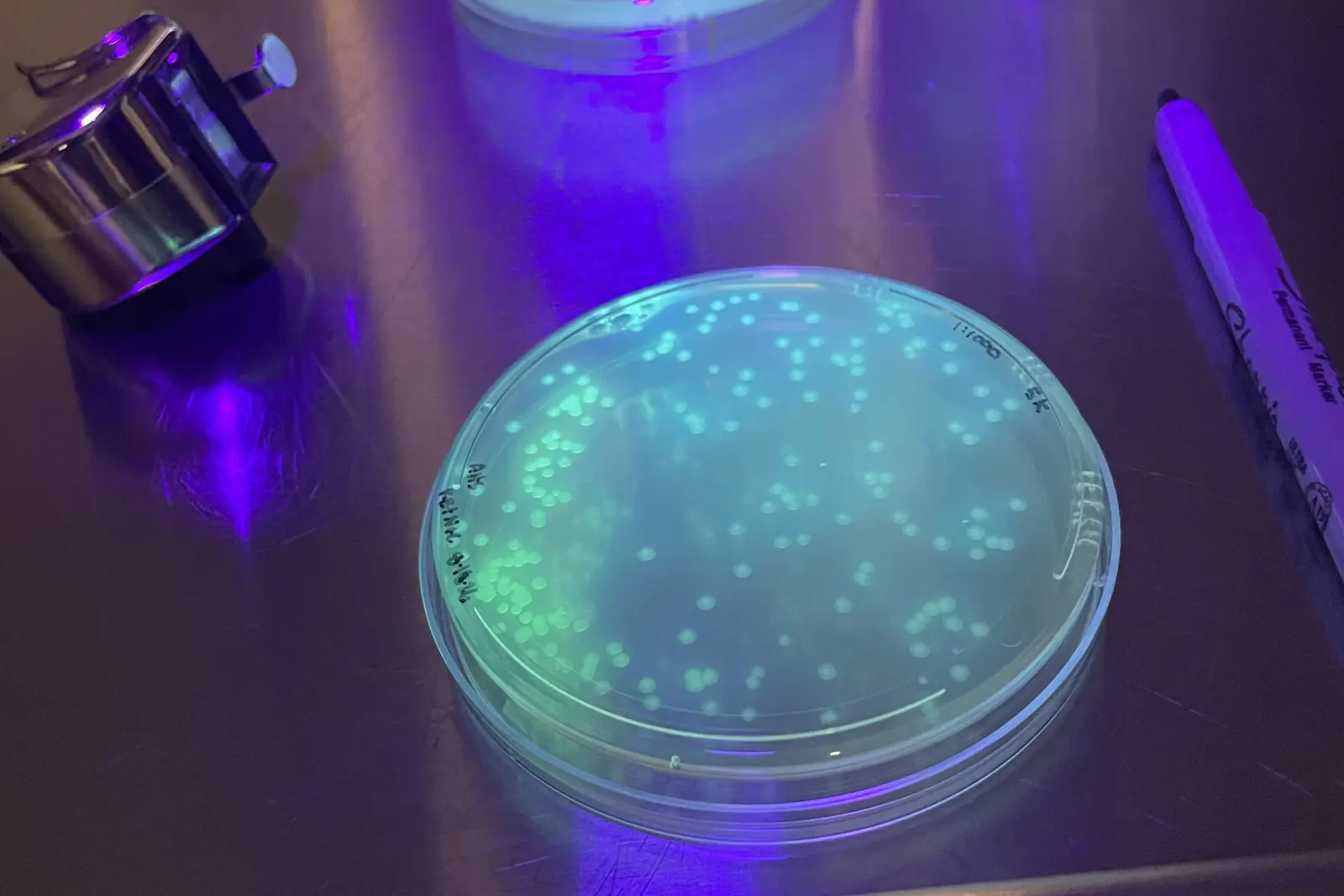
That challenge prompted CU-CAT to develop Image Tagging & Counting, a browser-based tool for manually marking objects in images and exporting the resulting data. The work began with fluorescent colonies on petri dishes viewed under black light, where a researcher needed to separate observations by blue or green fluorescence and document them across a set of images, while creating a foundation for future automated analysis.
The same need appears in many agricultural settings.
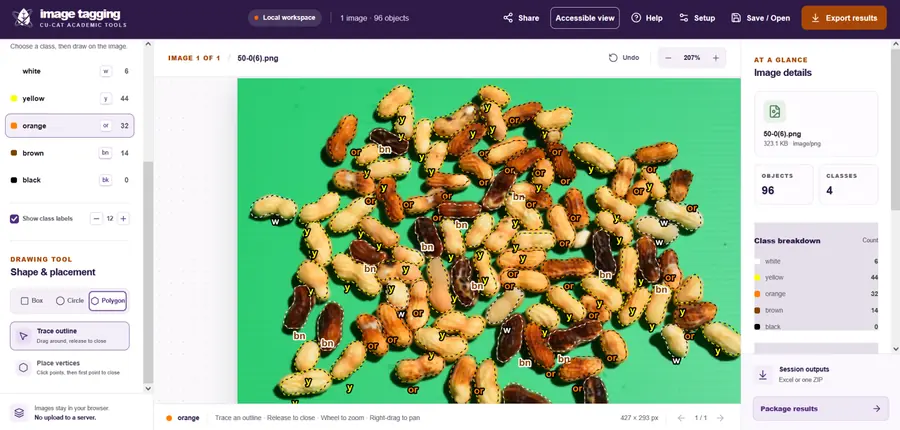
A peanut maturity sample, for example, may contain pods in several color classes. Researchers can tag each pod as white, yellow, orange, brown or black, then export the counts for each class. In the accompanying example, polygons trace individual pods to demonstrate the tool’s ability to follow irregular outlines. For a faster count-only task, a user could instead choose a fixed-size circle or rectangle and mark each object with one click.
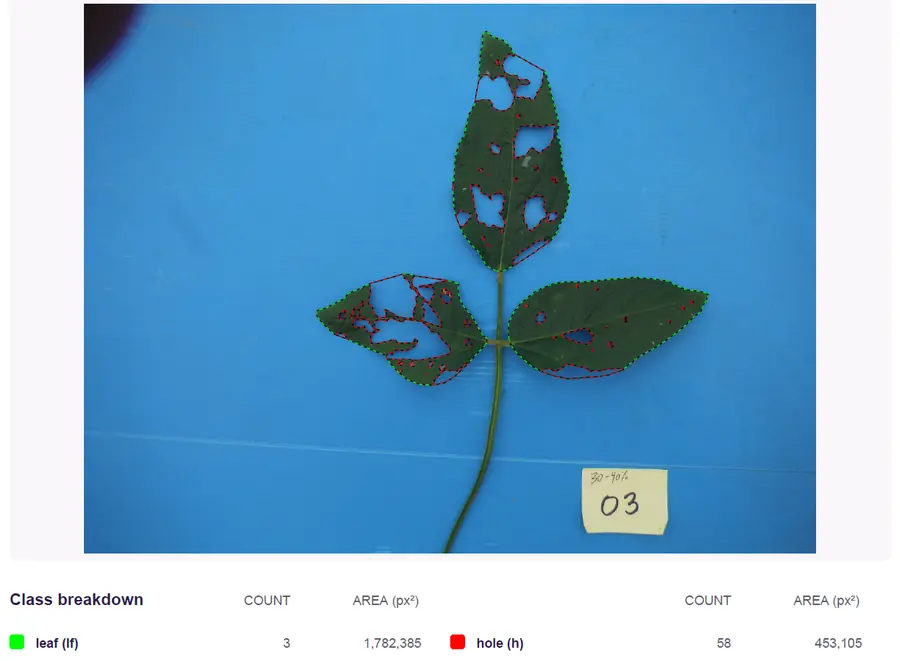
A soybean defoliation image presents a different question: how much leaf tissue is missing? In the example screenshot from the tool's report, researchers marked leaf tissue and defoliated areas as separate classes. The resulting comparison estimated 25.4% defoliation across the sample. Defoliation percentage is one of the measures considered alongside crop stage, pest observations and established economic thresholds when evaluating whether a spray application may be warranted.
Those are only two examples. The tool can also support insect counts by type in trap photographs, weed or seedling counts, foliar disease work, and a wide range of other applications. For a disease image, a researcher can mark leaf tissue and lesions separately, then use the marked areas to estimate the severity.
From annotations to research records
The goal is not to replace a researcher’s judgment. It is to make visual observations easier to organize and reuse. Users define their own classes, choose boxes, circles or polygons to match the task, and export an Excel workbook, marked images, a PDF summary and other results for records, treatment comparisons or reporting.
A foundation for future analysis
The same annotations can also help prepare future automated-image-analysis projects. Image Tagging & Counting can export data for YOLO and COCO workflows, while marked images and object crops can help researchers assemble and review training material for approaches such as CU-CAT’s AgriView platform.
This is the first tool at tools.cuagtech.com, a CU-CAT site for research and academic workflows, distinct from the farmer-facing calculators and decision aids available through CU-CAT Apps.